One point of sale.
Every part of your store.
AIC POS is the desktop point-of-sale system behind the counter — sales and checkout, inventory, purchasing and shipping, cash and expenses, multi-branch reporting, and role-based staff access, all in one app. It also runs on tablets and browsers over your store's network, so the same data follows you off the main terminal.
What it looks like day to day
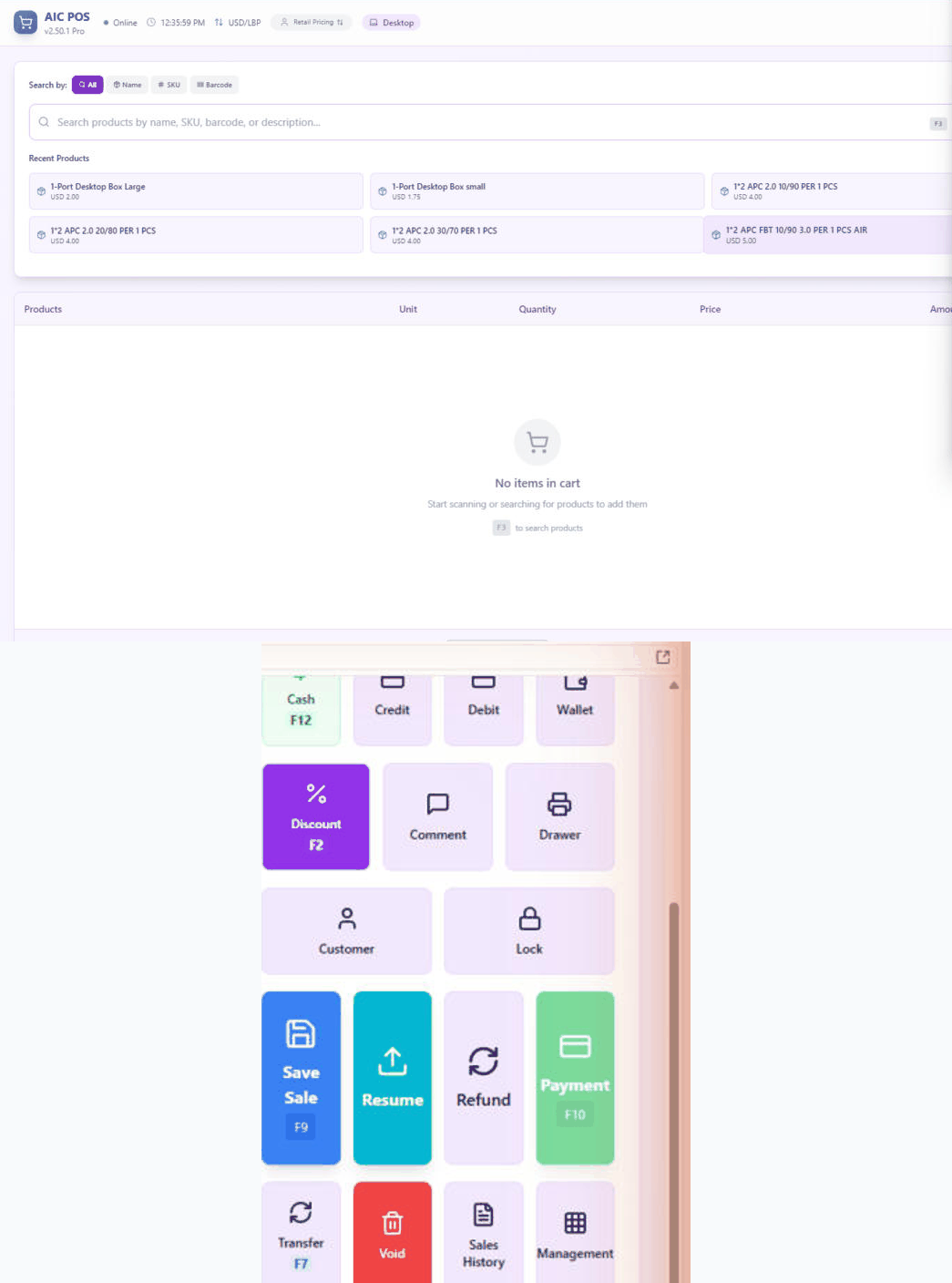
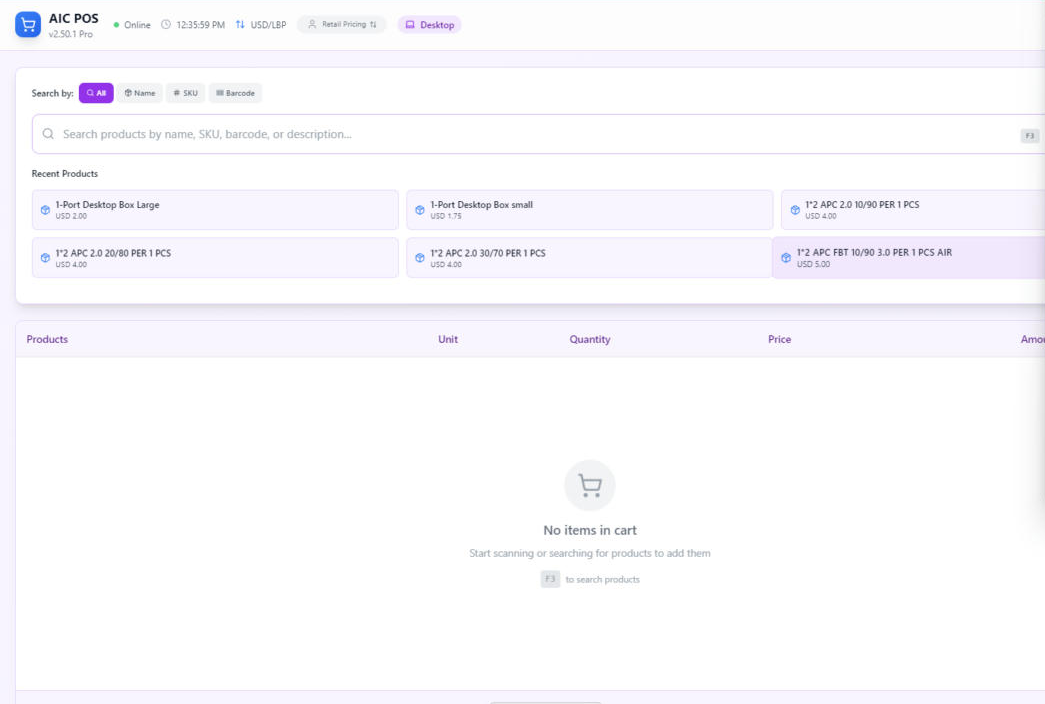
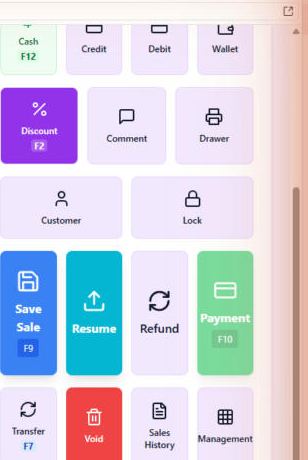
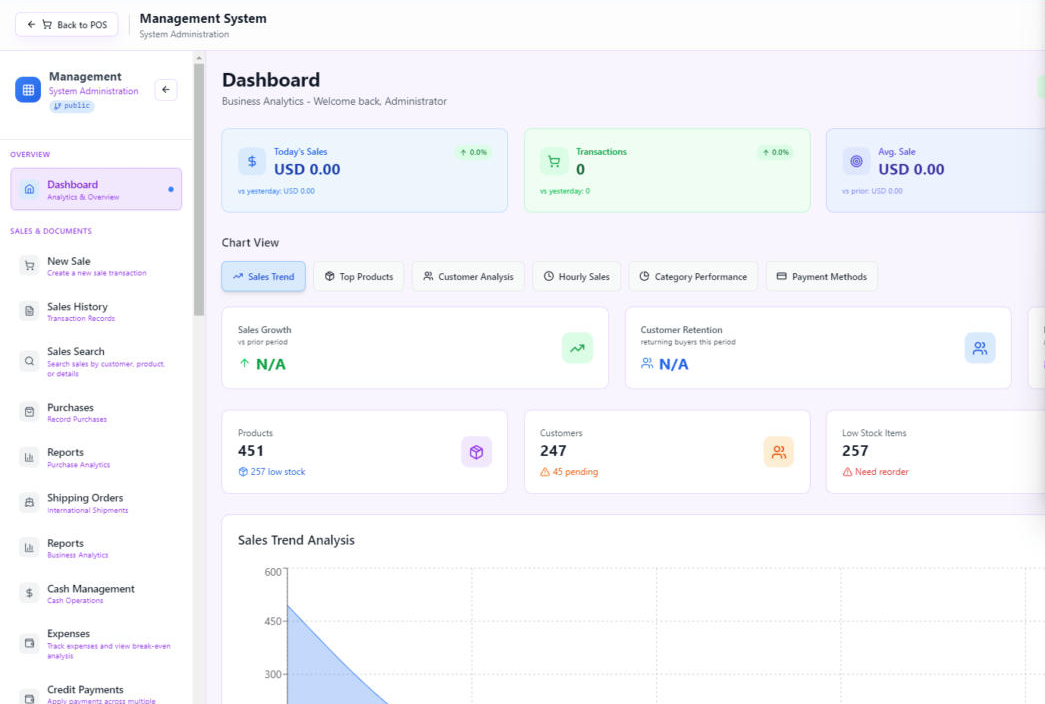
Real screens from a running store — the checkout counter, the payment panel, and the management dashboard.
A walk through the system, screen by screen
Real screenshots from AIC POS — click any picture to enlarge it.
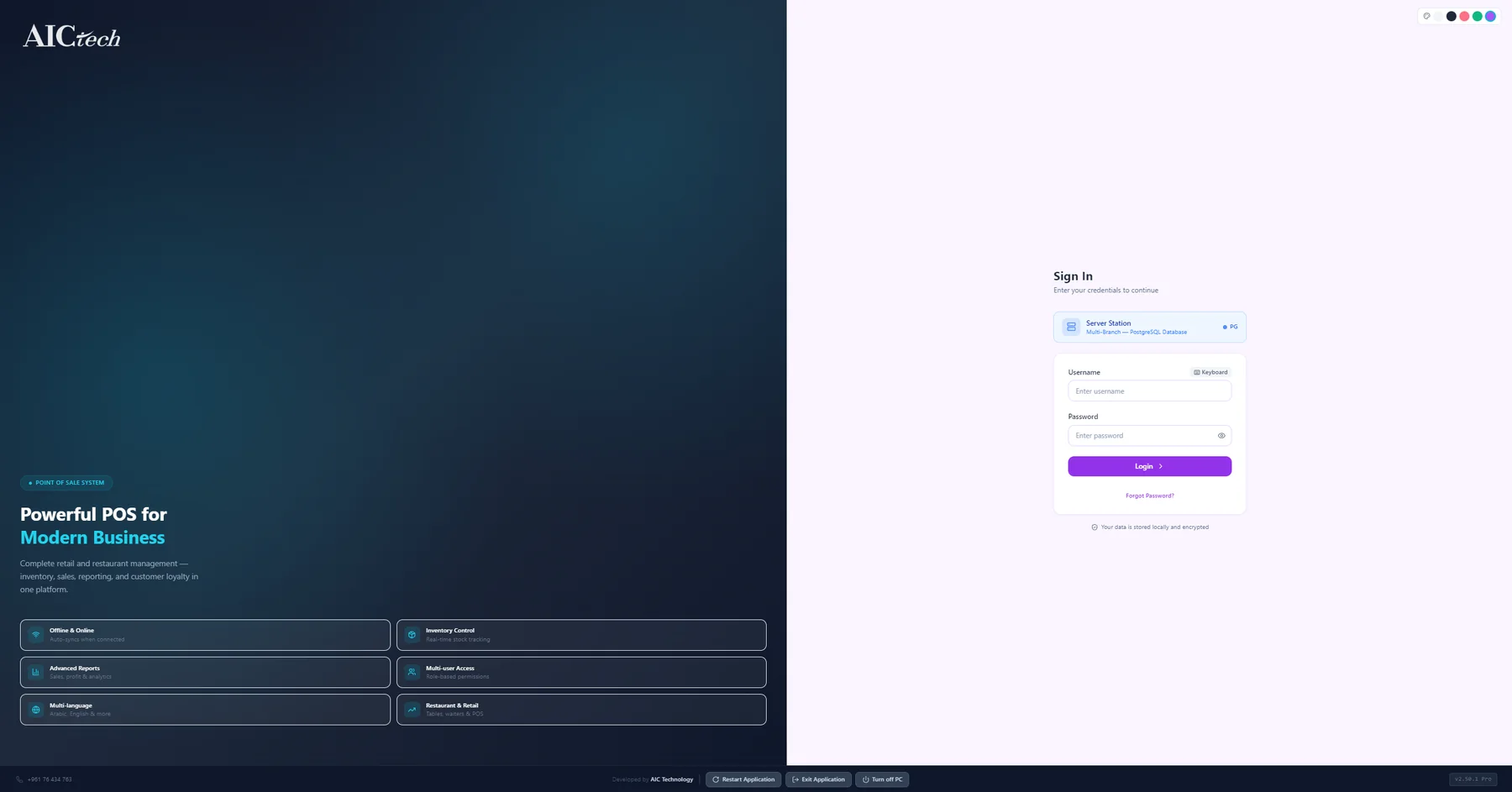
Secure sign-in
Every cashier signs in with their own username and password. The login screen shows which station you are connected to (here the multi-branch server), has an on-screen keyboard for touchscreens, and offers restart / exit / shut-down buttons for the terminal.
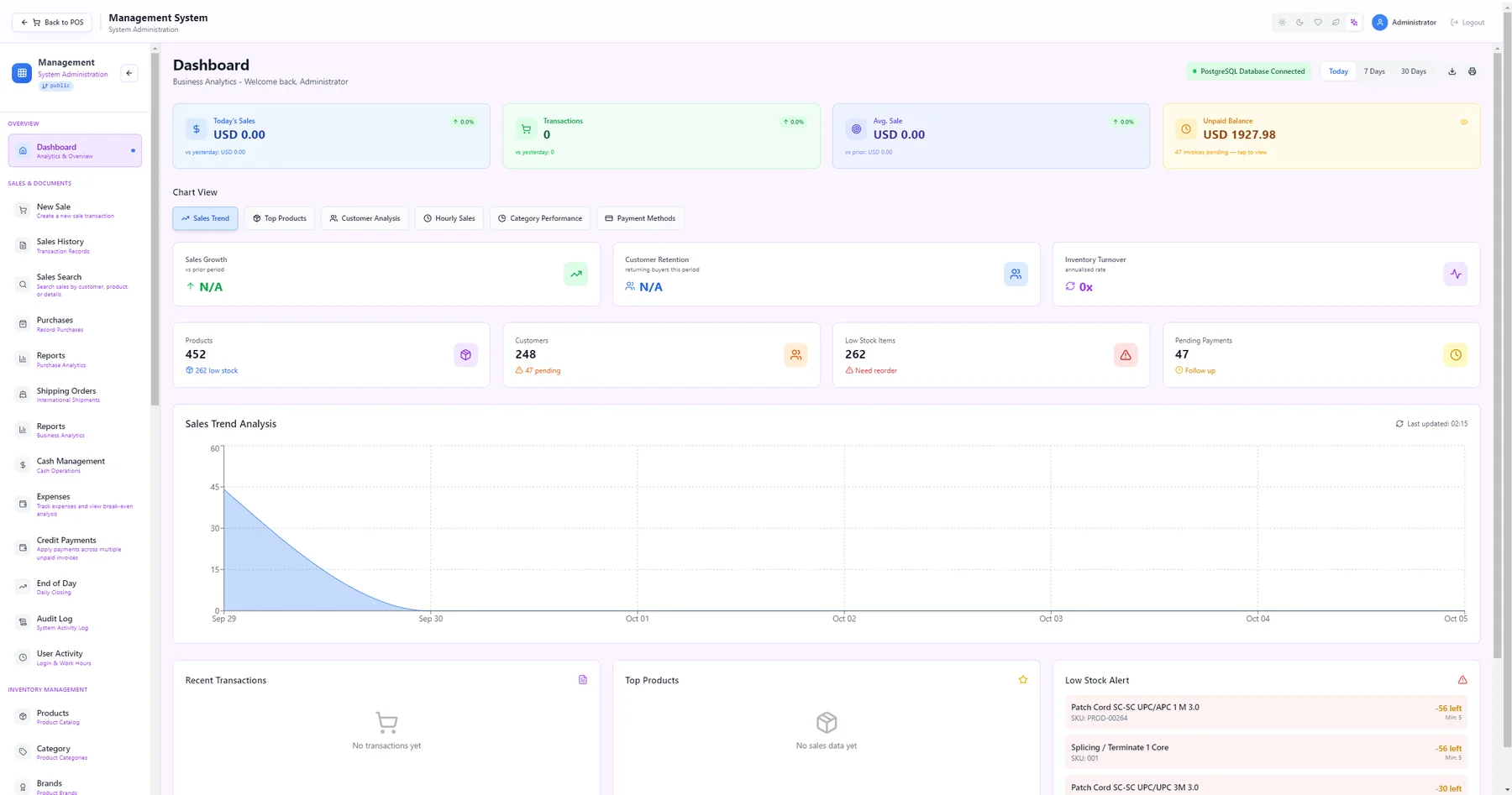
Management dashboard
The owner's home screen: today's sales, number of transactions, average sale and unpaid balance at a glance, plus product / customer / low-stock / pending-payment counters, a sales-trend chart and live lists of recent transactions, top products and low-stock alerts.
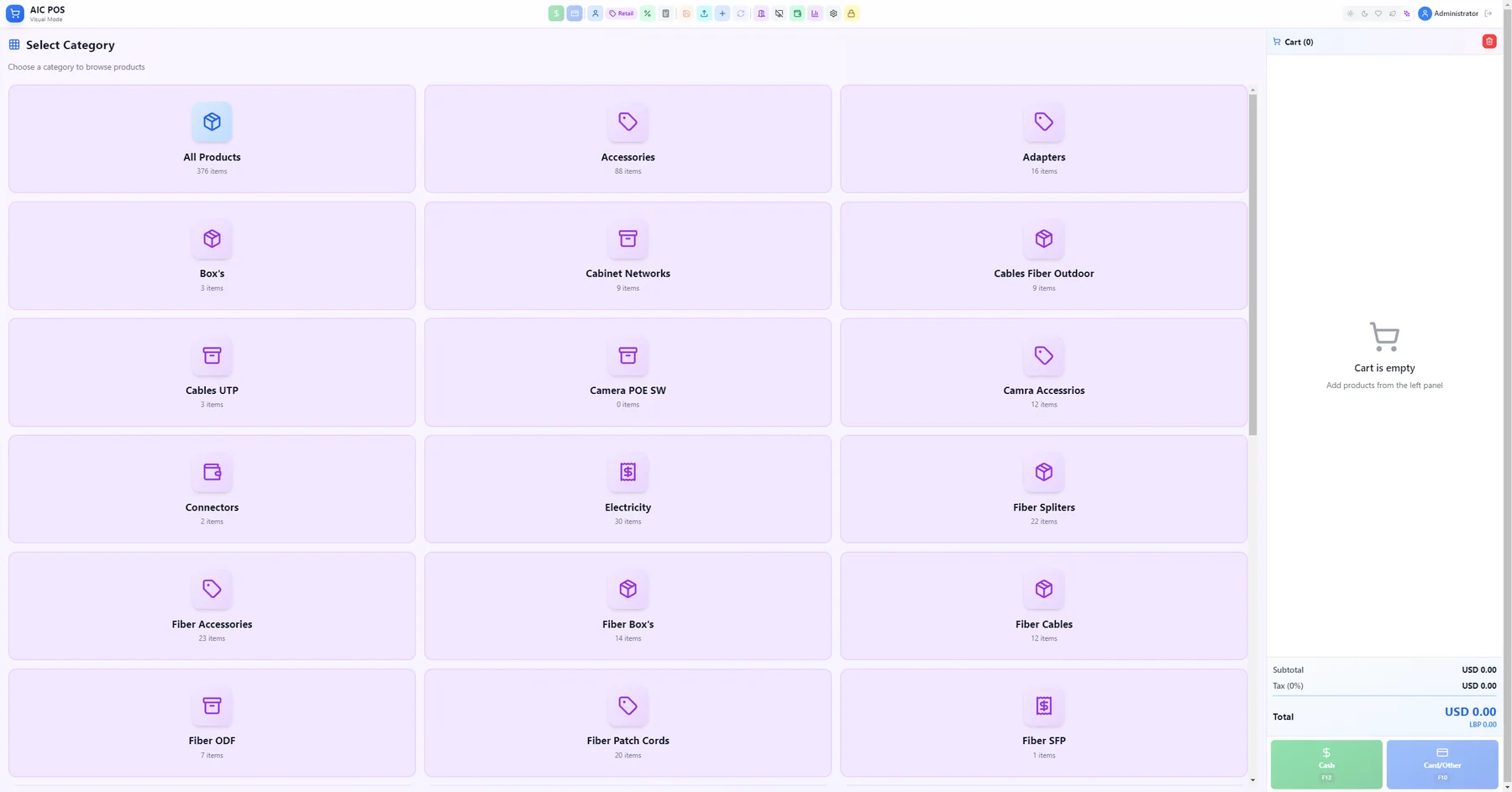
Touchscreen checkout (Visual mode)
The cashier layout built for touchscreens: pick a category tile, then a product, and it goes into the cart on the right. Subtotal, tax and total update live, with big Cash (F12) and Card / Other (F10) buttons and a quick-action toolbar across the top.
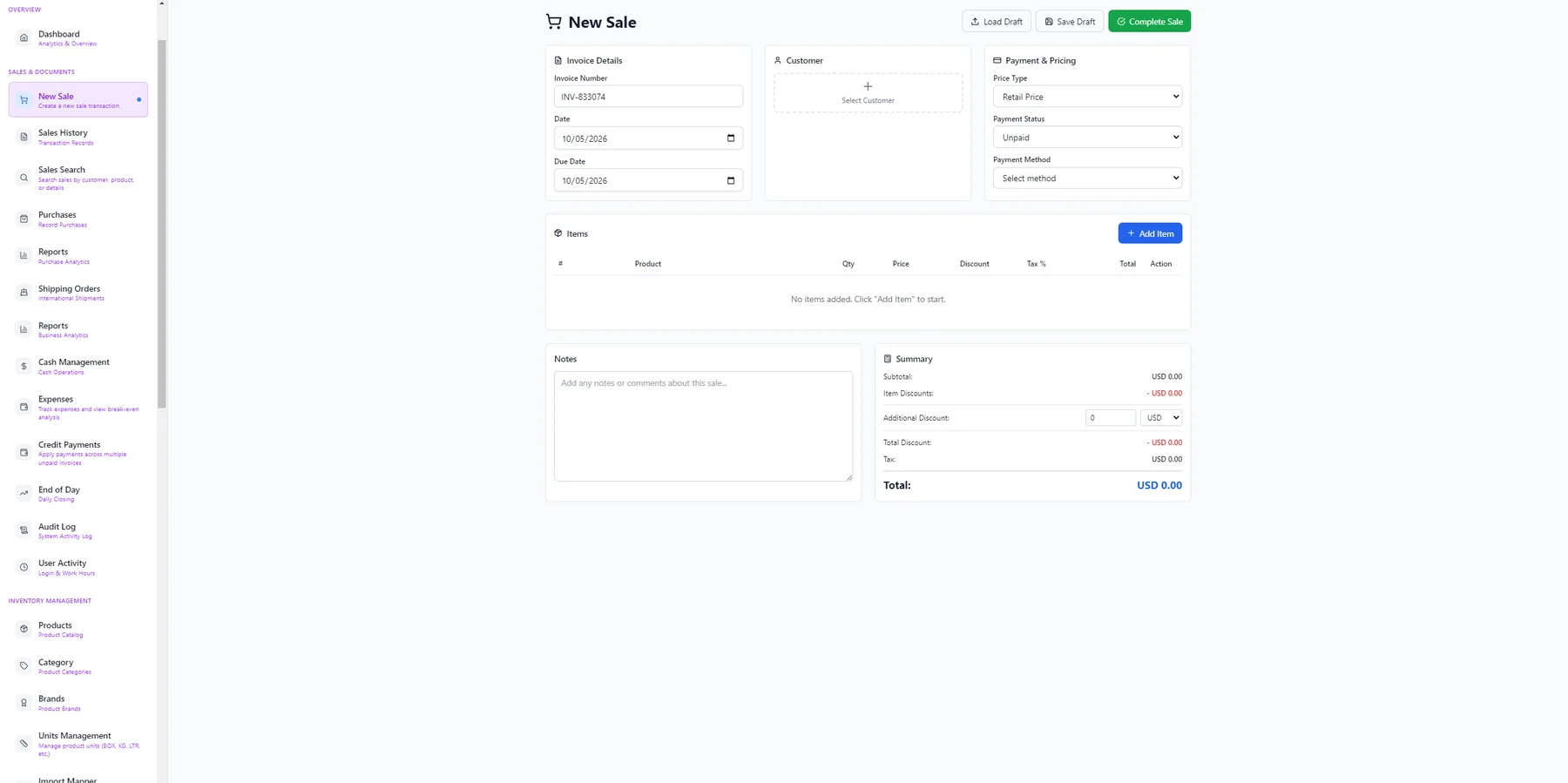
New sale / invoice
Create a full invoice: invoice number and dates, pick a customer, choose the price type (retail, wholesale, VIP), payment status and method, add items with quantity, discount and tax, and see the running summary. Drafts can be saved and loaded later.
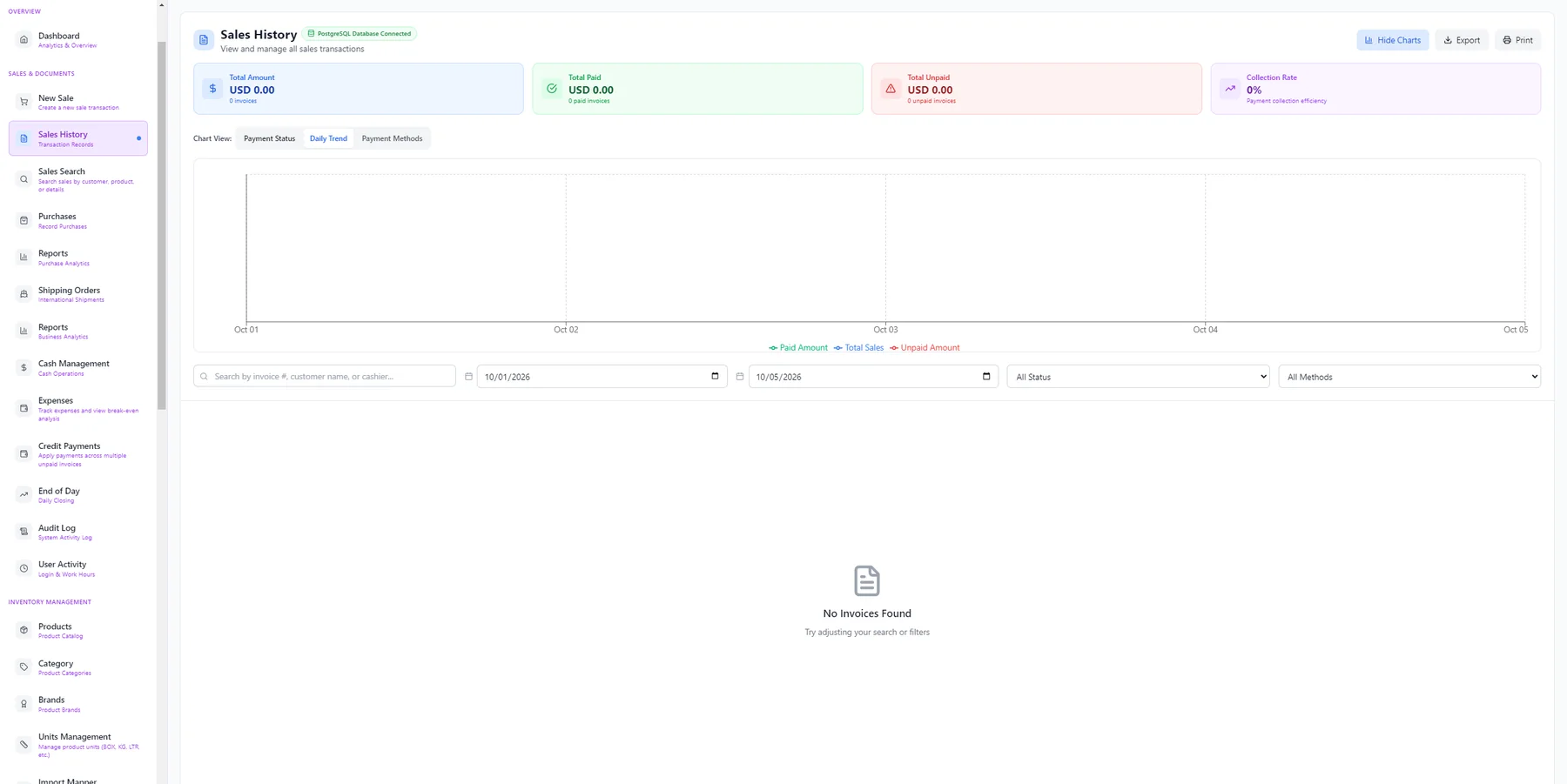
Sales history
Every invoice in one place with totals for amount, paid, unpaid and collection rate. Switch between payment-status, daily-trend and payment-method charts, filter by date, status or payment method, search by invoice, customer or cashier, and export or print.
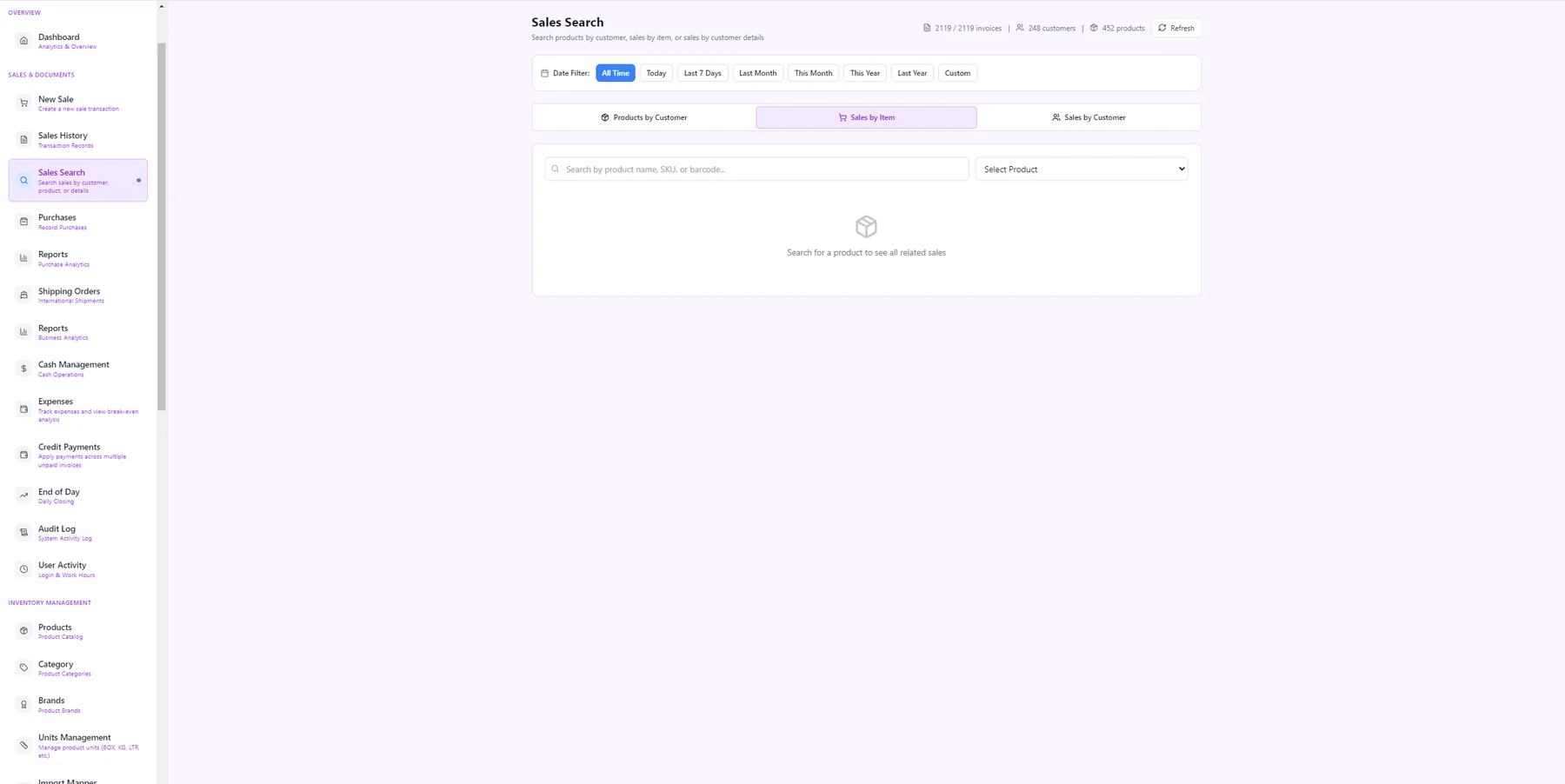
Sales search
Answer "who bought what?" in seconds: look up all sales for a product, all products bought by a customer, or all sales by customer, filtered by day, week, month, year or a custom range.
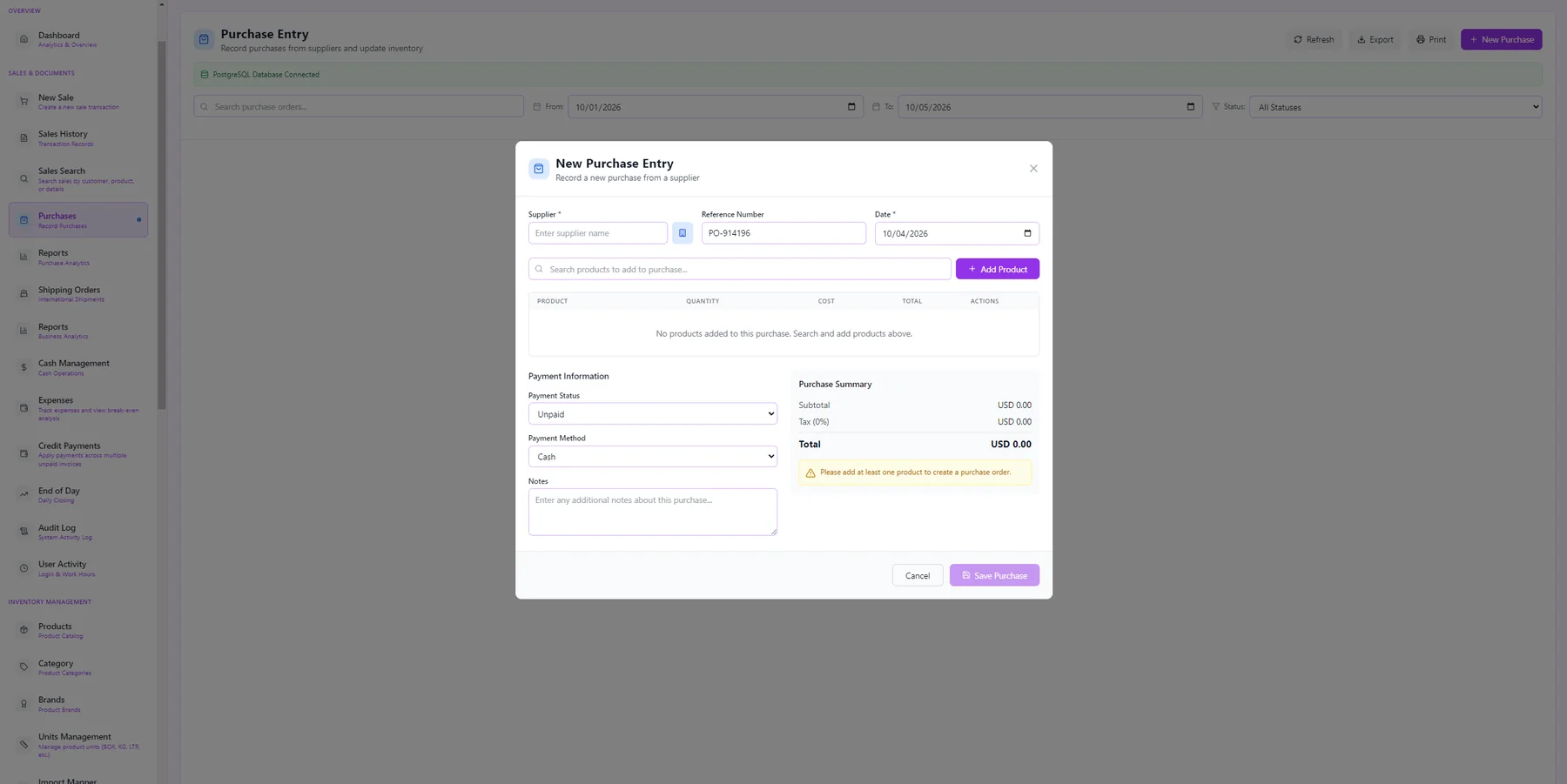
Purchase entry
Record stock bought from suppliers: choose the supplier, add products with quantity and cost, set paid / unpaid and the payment method, and add notes. Saving the purchase updates your inventory.
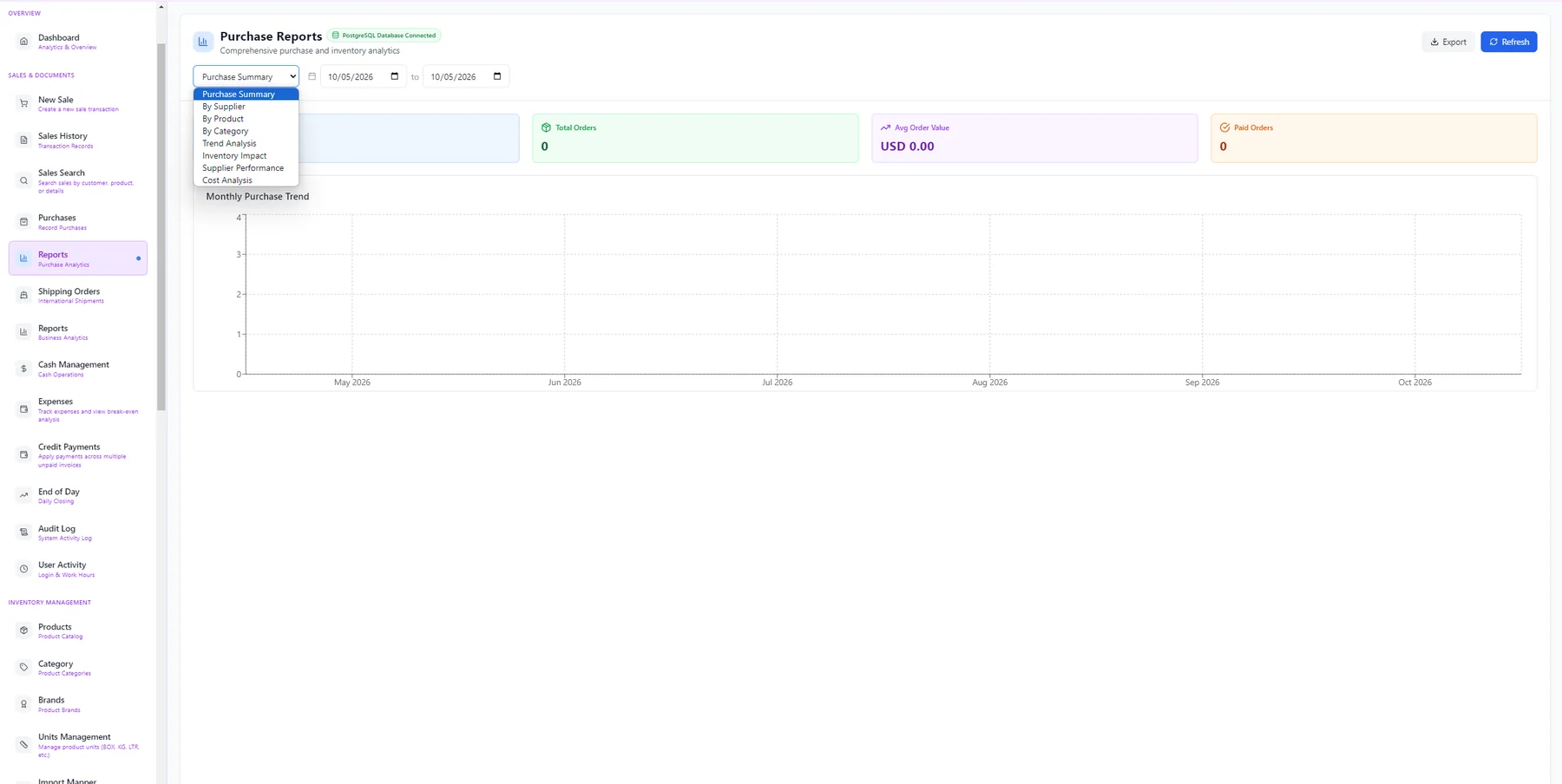
Purchase reports
Understand your buying: purchase summary, by supplier, by product, by category, trend analysis, inventory impact, supplier performance and cost analysis, with totals, average order value and a monthly trend chart.
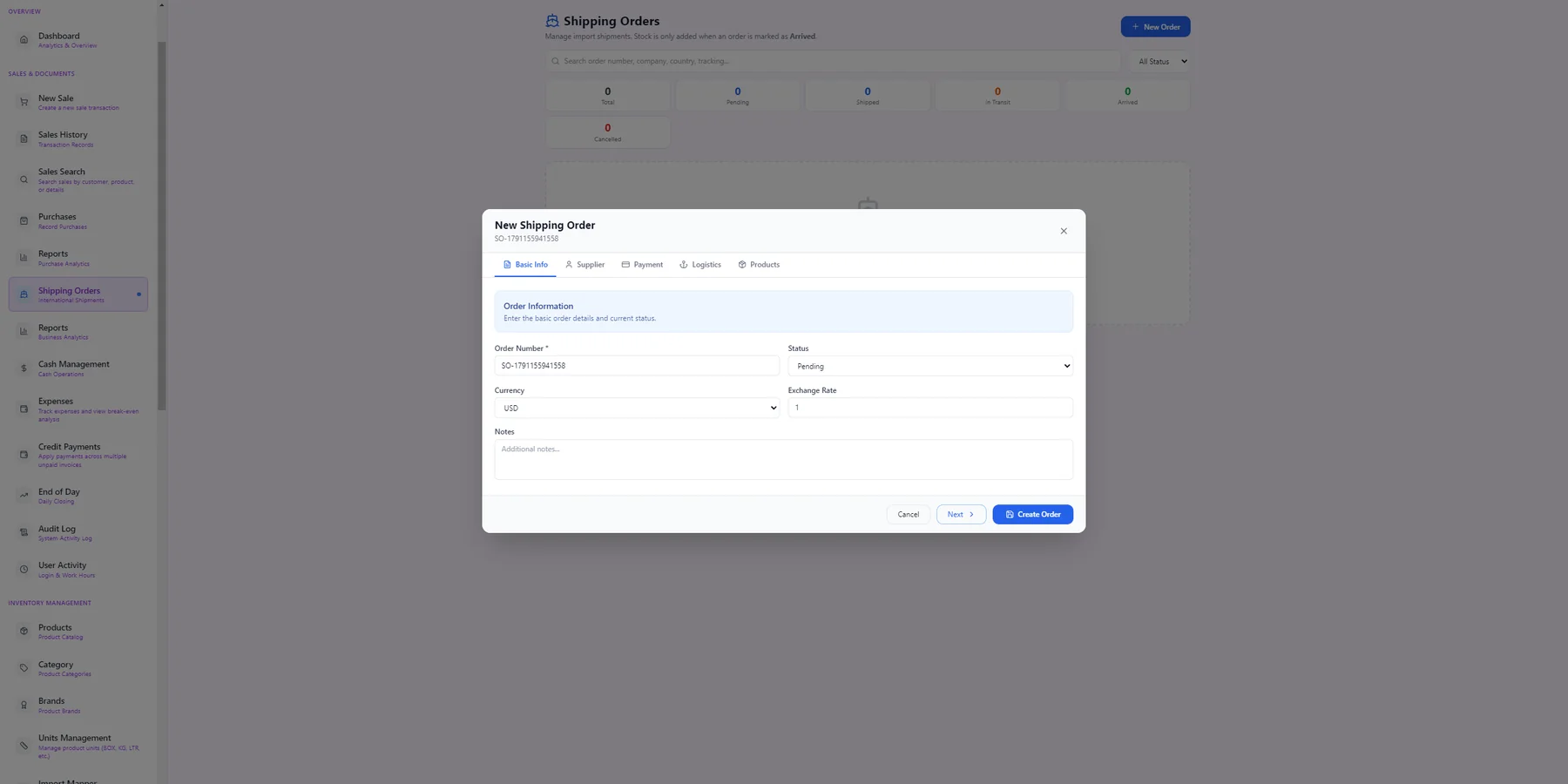
Shipping orders (imports)
Manage international shipments end to end. Each order has tabs for basic info, supplier, payment, logistics and products, with currency and exchange rate. Stock is only added to inventory when the order is marked Arrived.
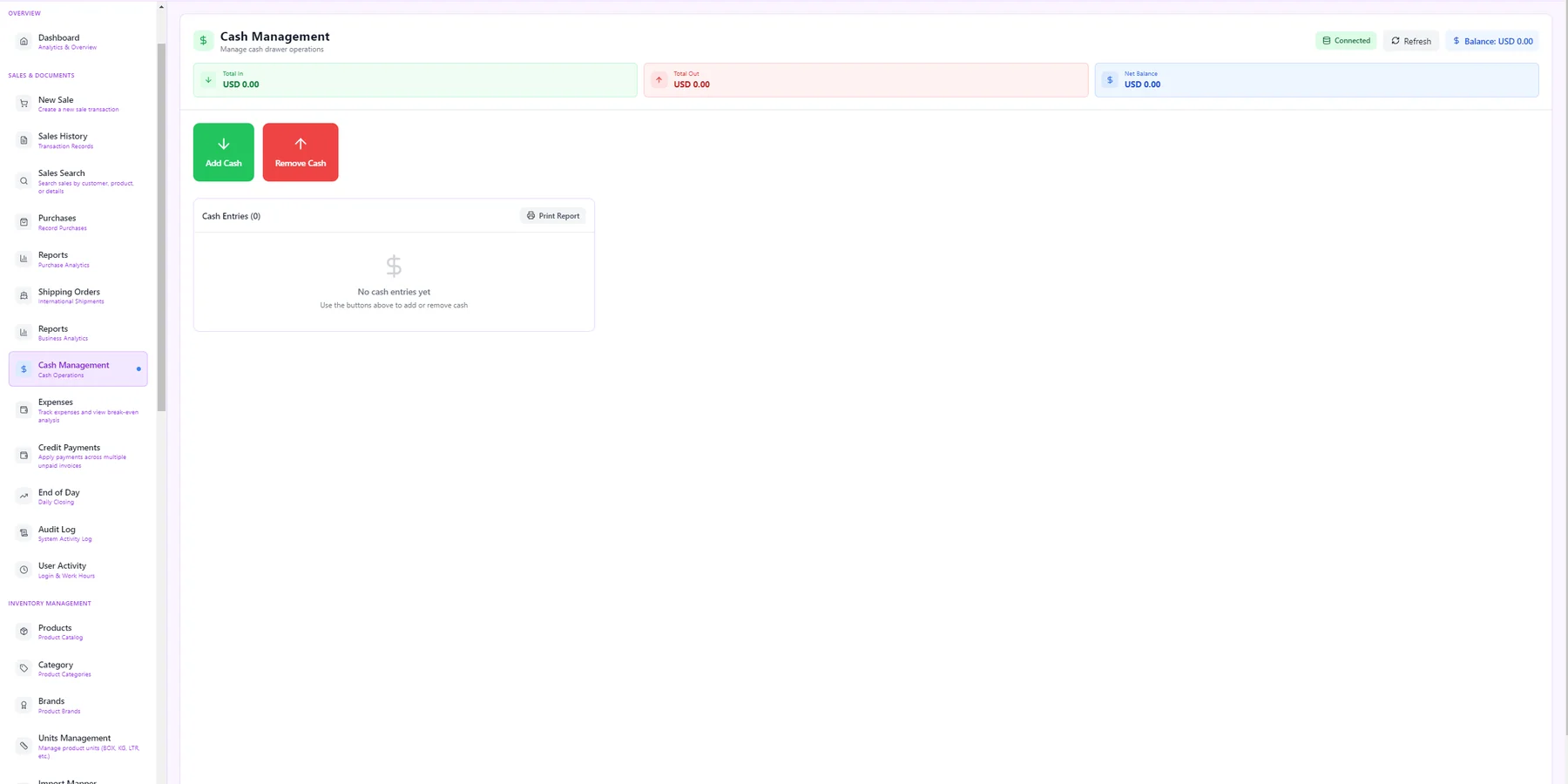
Cash management
Control the cash drawer: add or remove cash with a reason, see total in, total out and the net balance, and print a cash-entries report.
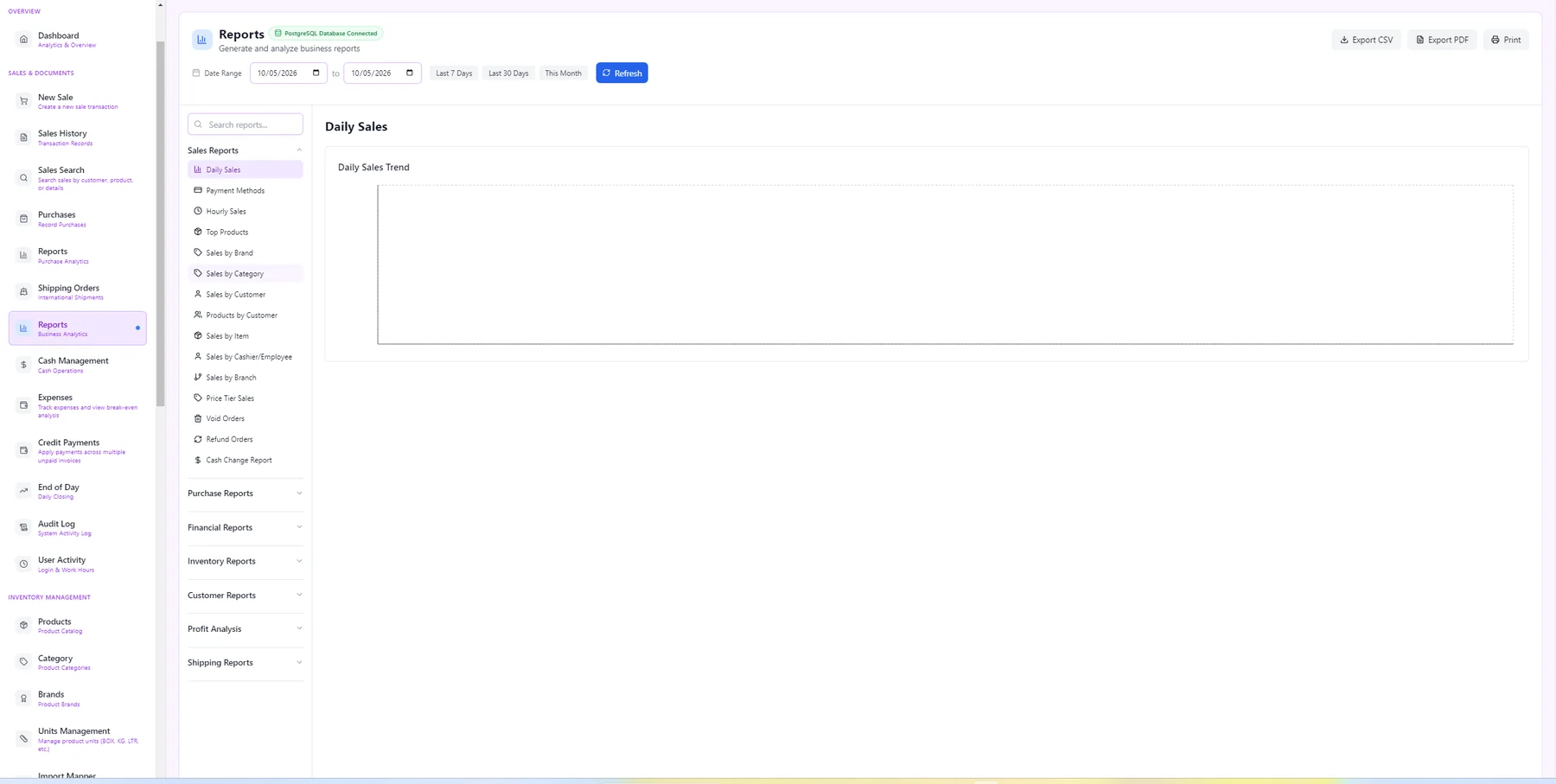
Reports centre
Dozens of reports grouped in a searchable menu: Daily Sales, Payment Methods, Hourly Sales, Top Products, Sales by Brand, Category, Customer, Cashier and Branch, Price Tier Sales, Void and Refund Orders, Cash Change and more, with date ranges and export to CSV or PDF.
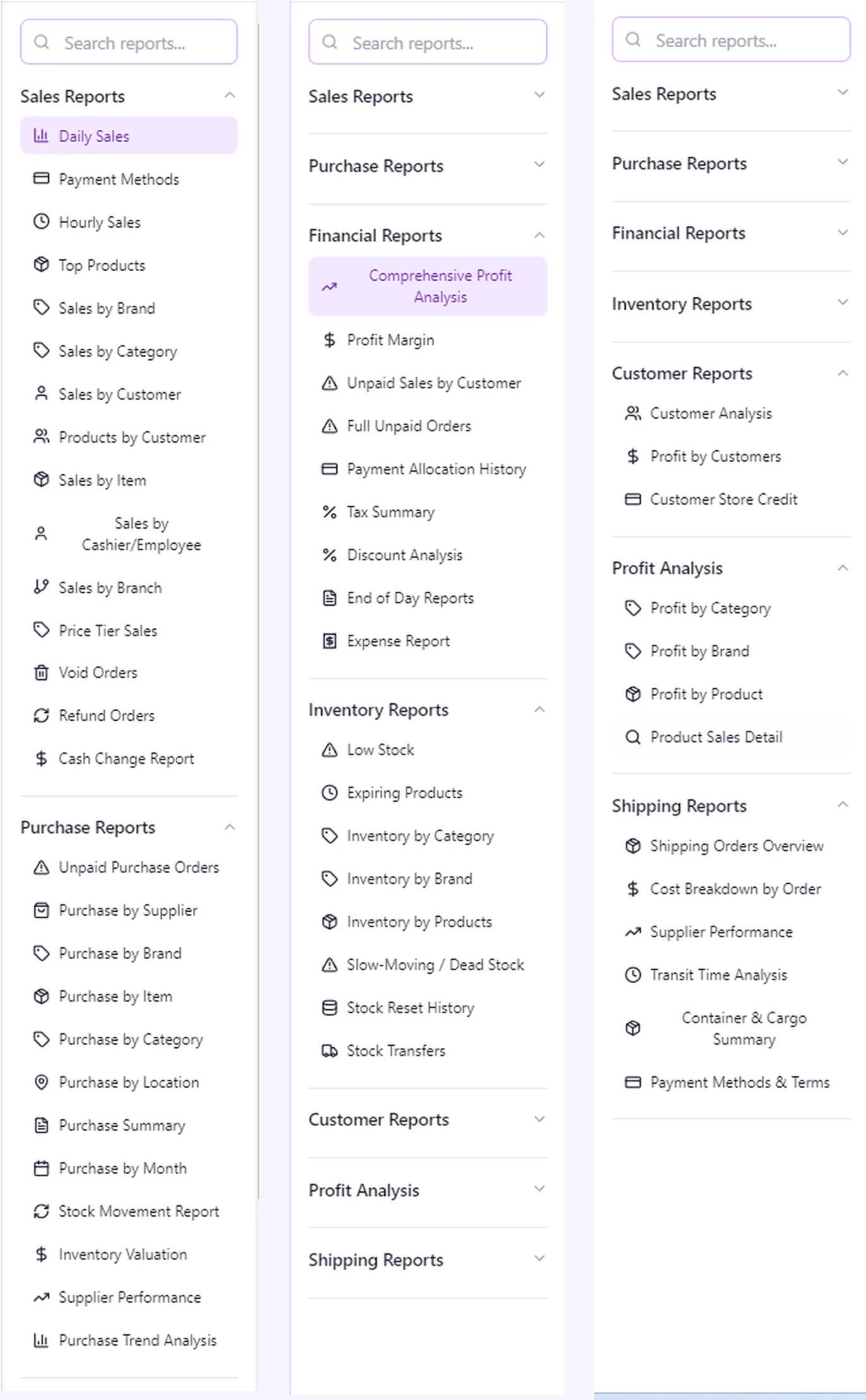
Every report in the menu
The full list of report groups: Sales, Purchase, Financial (profit analysis, profit margin, unpaid sales, payment allocation, tax, discounts, end of day, expenses), Inventory (low stock, expiring products, valuation, slow-moving stock, stock resets and transfers), Customer, Profit Analysis and Shipping reports.
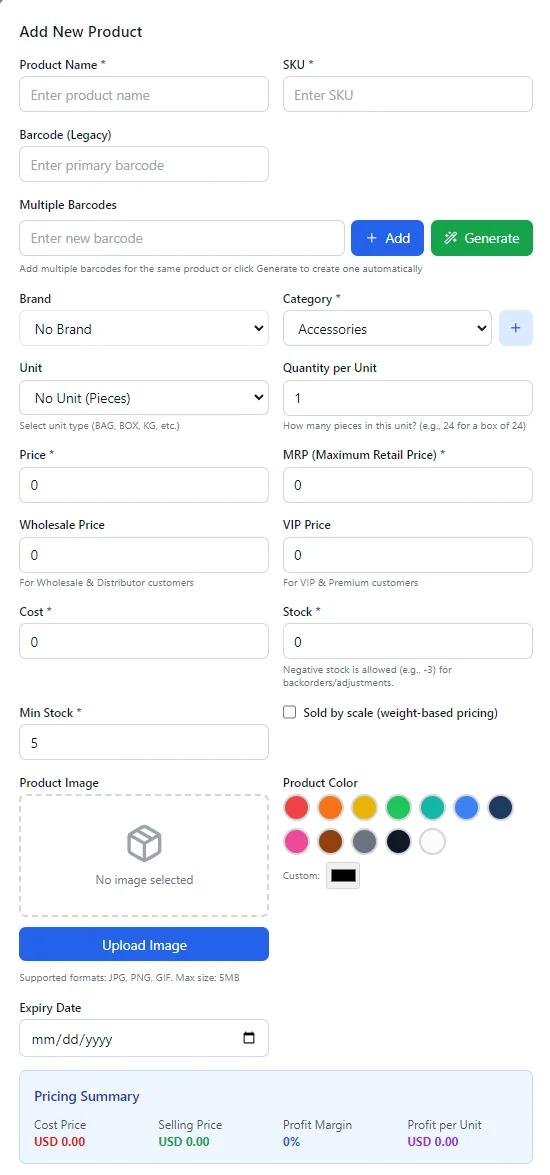
Add a product
Create a product with name, SKU, multiple barcodes (or generate one), brand, category, unit and quantity per unit, retail, wholesale and VIP prices, cost, stock, minimum stock, expiry date, a picture and a colour. A live summary shows cost, selling price, profit margin and profit per unit.
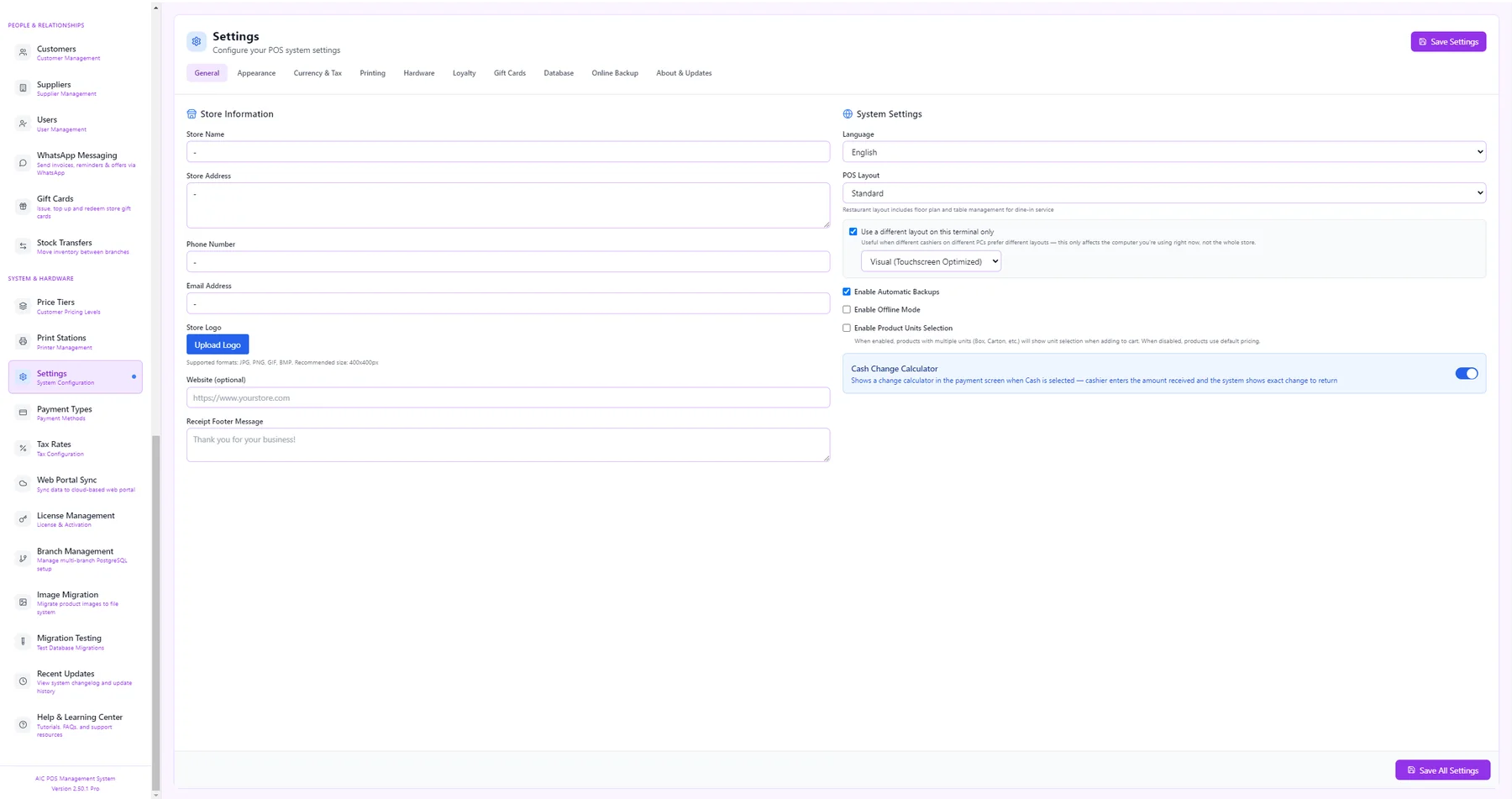
Settings
Configure the system: store name, address, phone, e-mail and logo, language and POS layout (standard, visual or restaurant), automatic backups, offline mode, product-unit selection and the cash change calculator. Further tabs cover appearance, currency and tax, printing, hardware, loyalty, gift cards, database and online backup.
Every module, from the same sidebar
AIC POS isn't just a checkout screen — it's the full back office too. Here's everything a store or branch gets, organized the way it appears in the app.
Dashboard & Analytics
Today's sales, transactions, average sale, sales trend, top products, customer retention, category performance, and payment-method breakdowns — updated live.
New Sale & Checkout
Search by name, SKU, or barcode; build a cart with quantities, per-line discounts, and tax; choose retail or wholesale pricing; save or load drafts.
Payments
Cash, credit, debit, and wallet out of the box, with split/partial payments, invoice payment status (paid / unpaid / partial), and printed drawer control.
Sales History & Search
Every past transaction, searchable by customer, product, date, or invoice detail — with refunds, voids, and transfers tracked against the original sale.
Inventory & Products
Real-time stock tracking across every product, low-stock and reorder alerts, and price tiers for retail vs. wholesale customers.
Purchases & Shipping Orders
Record supplier purchases, track international shipments from pending to arrived, and see stock added automatically the moment an order lands.
Cash Management & Expenses
Open/close cash drawers with an End of Day close-out, log expenses, and see break-even analysis against what's actually selling.
Credit Payments & Invoices
Apply a single payment across multiple unpaid invoices, track customer credit balances, and keep partial payments reconciled automatically.
Multi-Branch
Run one store or a chain — a server branch holds the shared database, other branches connect in, and management rolls reporting up across locations.
Users & Role-Based Access
Give cashiers, managers, and admins exactly the screens they need, with an activity log recording who did what and when.
Offline & Online
Keeps selling if the internet drops, then auto-syncs the moment it's back — no lost sales, no manual re-entry.
Multi-Language
Arabic and English out of the box, built to add more — the whole interface switches, not just labels.
Restaurant & Retail Modes
Table and waiter management for restaurants, straight checkout for retail — the same core app, configured for how you actually work.
Advanced Reports
Purchase analytics and business analytics side by side — sales, profit, hourly trends, category performance, and customer behavior.
Tablet / Web Access
Turn on browser access from Settings and open the full checkout screen from any tablet or laptop on your store's network — same data, no install.
Security & Audit
Full activity and audit logs, device and app-version tracking on every connection, and license management with usage limits.
Built to run the whole store, not just the register
The things that matter once you're past the demo and actually running a business on it.
One database, every screen
Sales, inventory, purchasing, and reporting all read and write the same store database — nothing to reconcile between modules.
Fast at the counter
Barcode and keyboard-shortcut driven (F2 discount, F3 search, F7 transfer, F9 save, F10 payment) so a busy line never slows down.
Scales from one register to a chain
Start on a single machine, add branches and tablets as you grow — the same license, the same reports, rolled up.
Doesn't stop when the internet does
Local-first architecture means the register keeps ringing up sales offline and reconciles automatically once you're back online.
Knows who did what
Every login, sale, refund, and settings change is tied to a user and logged — useful for accountability and for catching mistakes early.
Speaks your team's language
Arabic and English today, with the interface — not just labels — built to localize as the business needs more.
Tablet / Web POS Access
One of AIC POS's features: open the exact same checkout screen from any browser on your store's network, without installing anything.
1. Enable it in Settings
On the server machine, open Settings and turn on Tablet / Web POS Access.
2. Get the address
AIC POS shows the local address to use — typically http://<server-ip>:3055.
3. Open it on any tablet
Type that address into any browser on the same network — the full checkout screen loads, backed by the same live data.
What's New
The latest improvements and fixes in AIC POS, straight from our release notes.
Ready to see AIC POS in your store?
Ask for a free demo or a price quote and we will take care of installation, branches and training.
Want to see AIC POS running in your store?
Send us a message and we'll walk you through setup, multi-branch, and getting Tablet / Web Access turned on for your location.
Want to see AIC POS running in your store?
Send us a message and we'll walk you through setup, multi-branch, and getting Tablet / Web Access turned on for your location.